I do a lot of goal-setting. In addition to running an Etsy shop, I have two part-time jobs and am also a published novelist. I have a lot of tasks and projects to keep track of, and there’s no way I can keep track of them all if I’m just relying on my own brain.
Brain dumps ftw
Do you ever feel overwhelmed with everything life is throwing at you? Stuff is coming at you from every direction and you can’t spin around fast enough to catch everything. I occasionally feel like life is a cosmic game of dodgeball!
When it gets overwhelming like that, I sit down, switch on the Focus mode of Brain.fm, and do a total brain dump. Just write down all the crap that floats through my head, all the things that are taking up space in my mental RAM, and quantify them.
I generally use a separate notebook to do my brain dumps because they can take up a lot of space! But as soon as I’ve finished, I start categorizing everything I wrote down (highlighters are good for this), and that’s where my Bullet Journal comes in.

Once I’ve quantified everything I need to do, I can start figuring out what the next concrete step is to take on every outstanding project.
Sometimes I go through the brain dump in the order I wrote things down and sometimes I skip around. Sometimes I realize that several items in the brain dump belong in a collection in my Bullet Journal. Sometimes an item just needs to go on my monthly or daily task list.
As soon as I’ve recorded a brain dump item somewhere in my Bullet Journal, I mark it out on the braindump list.
Not only does that help me see where I am in the planning process, but it also has an immediate psychological effect. I’ve written it down, I’ve put it where it needs to go, so I can release it from my immediate attention. (If you’re sensing echoes of GTD in this, you’re right!)
So What About Project Planning?
Projects with a lot of steps are different beasts from a simple to-do, that’s for sure. But they’re not really the gargantuan, out-of-control monsters they can feel like.
My rule of thumb is to write down every big step. Sometimes I realize the list I’ve been working with doesn’t have all the steps, so I add them in–even if I add them after completing the step.
I confess I don’t always write down every single tiny step because that would take a lot of paper! But if a project is starting to feel overwhelming, I sit down and do it, even if I have to set up a separate collection just for that project.
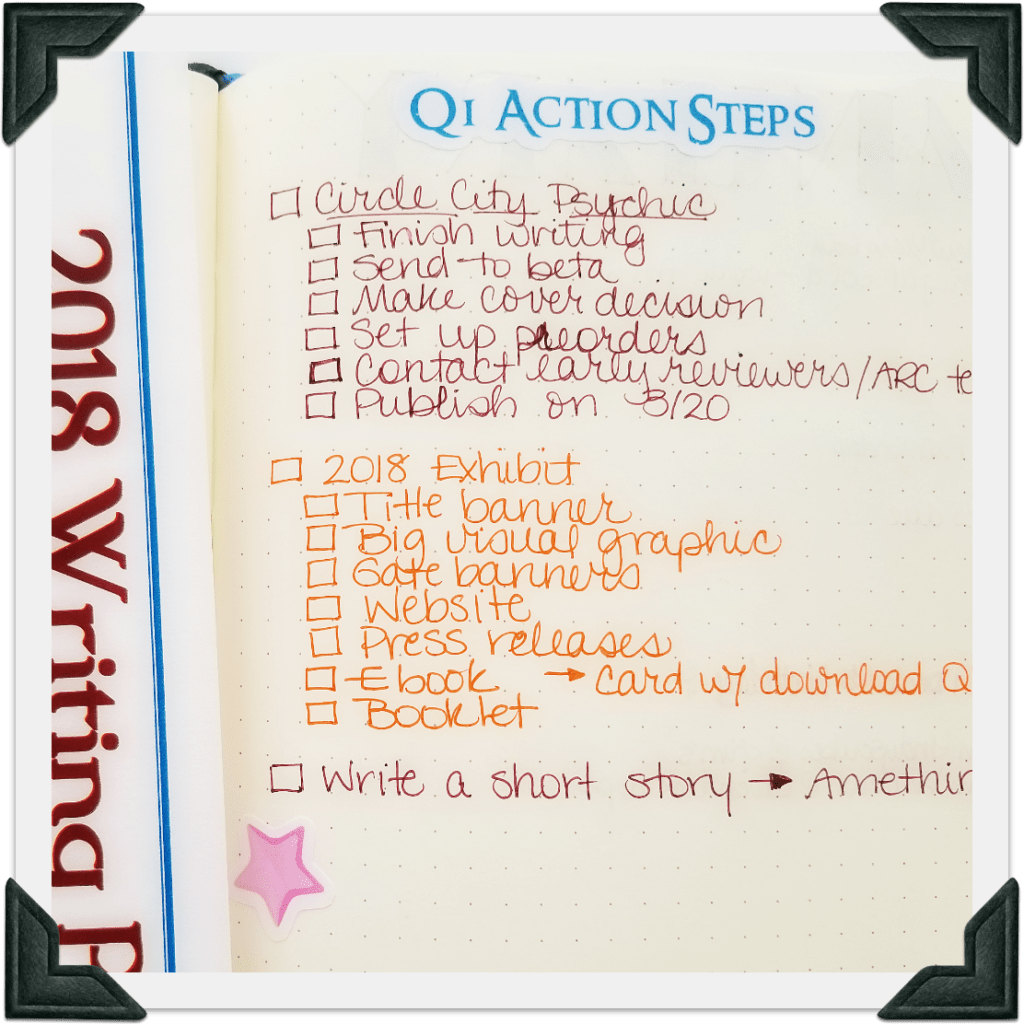
I currently have two major projects listed on my Quarter 1 Action Steps page in my Bullet Journal, and I have the components broken down on that page, as you see in the picture, though there are actually lots of little steps to each component.
For example, under “2018 Exhibit” the component “Title banner” actually involves several steps:
- Coming up with a title (in collaboration with other museum staff)
- Choosing banner images
- Choosing a font
- Choosing a color
- Choosing a vendor to print the banner (or consider printing in-house)
- Creating the graphic
- Proof-reading title banner
- Uploading the graphic to printer/printing graphic
I don’t have this goal broken down into all those steps because this is the sixth exhibit I’ve helped design, so a lot of those steps are internalized for me. On the other hand, I often end up breaking those components down on my Monthly Task List.
If you need to break down the components into every step on your project page, do it! The best thing about Bullet Journal is how you can customize it to work best with your style of work.
Tracking Goal Progress
I tend to use two different methods for tracking my goal and project progress–I’ll call them passive tracking and active tracking.
For active tracking, I’ll actually design a tracker to fit that project. For instance, another project I’m working on for work involves going page-by-page through a book we’re publishing. It’s a huge task, so I drew a special tracker for it–just a set of boxes that are numbered with the chapters of each book. As I finish each chapter, I fill in the box and I’m able to see that I am actually making progress, even if it doesn’t feel like it.
Passive tracking, on the other hand, is basically just me paying attention to what tasks I’m migrating from day to day, week to week, or month to month.
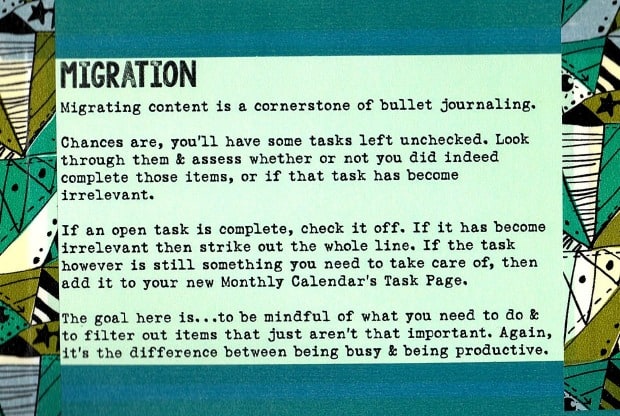
One of my favorite things about Bullet Journal is the migration process. Ryder Carroll points out that migration is “a cornerstone of Bullet Journaling.” I know a lot of people dislike the migration component, either because they think it’s redundant and/or pointless or because they don’t like taking the time to do it. For me, the redundancy and time-consuming nature of migration is exactly the point.
Repetition and redundancy actually make me aware of what goal-oriented tasks I’m not getting done and force me to be mindful of those tasks. I have to consider:
- Why am I putting off this task?
- Do I need help from someone else?
- Am I waiting for something?
- Is there a step I actually need to do first?
- How long do I need to complete this?
- Will it really take me longer to do this task than it will to migrate it to yet another page?
A lot of times, after considering these questions, I either buckle down and do the task or strike it off my to-do list entirely.
Whew! This is a longer blog post than I set out to write! I hope it’s helpful for you to see how I do goal planning and task/project management in my Bullet Journal. If you have any tips, let me know!
And if you’re looking for a sticker set to help you record your goals for 2018, check out my Goal-Setting and New Year’s Stickers set on Etsy! Until March 31, 2018, you can get 18% off your $5 order by using coupon code NY2018.
Like this:
Like Loading...


 The Winter Freebie is a smaller, six-page version of the Winter Planner Printable that’s now in the shop: naming what matters this winter, the brain dump, prioritizing the brain dump, assessing what worked last month and what you need more of this month, and intentions for various areas of your life this winter.
 I’ve added a large Wheel of the Year sticker to the shop to help you track the pagan wheel of the year, complete with zodiac signs, seasons, and hallows. Live your life in tempo with the natural seasons.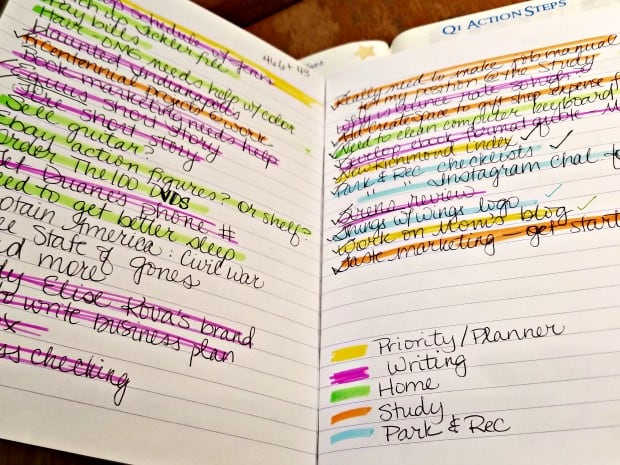
 I currently have two major projects listed on my Quarter 1 Action Steps page in my Bullet Journal, and I have the components broken down on that page, as you see in the picture, though there are actually lots of little steps to each component.